CLICK HERE FOR FREE BLOGGER TEMPLATES, LINK BUTTONS AND MORE! »

Our Reasons for Home Education:

Lilypie Kids Birthday tickers

Although he was achieving good results, he wasn't reaching his full potential because his love for learning had been destroyed & hence his grades were steadily declining.

Lilypie Kids Birthday tickers

Completely failed by the system, he hated school, was always tired & homework time was a major frustration for both of us. He was severely frustrated & quickly heading to become yet another ADHD statistic.

Showing posts with label SACHS Blogger. Show all posts

Tuesday, February 5, 2013

Google Earth in the Homeschool ~ Part 2

GoogleEarth_thumbBy Andy Harris

Last month I introduced Google Earth—a truly fascinating tool for exploring the planet. This month we go deeper to learn all kinds of fascinating new uses for this incredible free tool. If you need a refresher, look into last month’s article. Fire up your own copy of Google Earth—you’ll want to play along!

The Layered Look

One of the most powerful features of Google Earth is the Layers feature, which allows you to display various other features on top of the existing map data. There are a number of fascinating possibilities.

Here are a few of my favourites:

  • Borders and Labels: Select this layer to see state and national boundaries and city names. This can really help you figure out exactly where you are.
  • Roads: Prominent roads are featured on the map, along with labels.
  • 3D Buildings: This is one of the coolest features in Google Earth, but it does require a higher-powered computer to appreciate. Turn on this option and when you get close to the ground, you’ll be able to see three-dimensional buildings.

Thousands of famous (and not-so-famous) buildings are already included, and you can even add your own house! (See the section below on Google SketchUp for details.) You can turn on full textures for the maximum realism or go for a flat single colour for better performance.

  • Ocean: Traditional atlases treat oceans as empty space, but Google Earth gives you many options for exploring the oceans. Turn on the Shipwrecks button to see the locations and stories behind many shipwrecks. Ocean Expeditions takes you on a tour of several interesting expeditions. For example, one expedition that starts in Guam takes you on a tour of undersea volcanoes, some with videos! Animal tracking lets you select an animal such as a shark or a whale and see in first-person view where that animal has been swimming!
  • Weather: The Weather tab is equally fascinating. Turn on Clouds to see major cloud formations in close to real time. You can also view radar data and view current temperature and conditions anywhere in the world.
  • Gallery: This menu features some exceptional content. Especially noteworthy is the Ancient Rome 3D Gallery, which allows you to see what Rome looked like. National Geographic has provided several interesting options, but our favourite is the live WildCams. This feature allows you to view live webcams of animal habitats all over the world. Once we watched elephants come to a watering hole in Botswana while we ate our breakfast. NASA has some very nice imagery, and Wikiloc shows interesting trails. Note that some content comes from the outside Internet, so as always, you should monitor your kids as they use this content.
  • More: If you’re not overwhelmed yet, there are even more layers available in the (cleverly named) More section. Among the most interesting options here are Places/Categories, which allows you to place a marker on coffee shops and ATMs, and the Transportation section, which allows you to mark airports and rail lines.

Changing Space and Time

A program as comprehensive as Google Earth isn’t limited by silly things like space and time. There are many ways to modify when and where you’re looking. For example, you can choose Historical Imagery from the View menu to get a slider to pick a time span. For some parts of the earth, you’ll see aerial photos for the last fifteen years or so. In a few places (like Rome) you can go back thousands of years.

You can also use the View Sun menu command to see the current day/night boundaries. This also pops up a slider so you can change the time.

Space is a big part of Google Earth too. If you zoom way out, you can see the stars. You can also turn off atmosphere from the View menu to see the stars from any particular part of the globe. (Note that star positions change constantly, so they may not be exactly accurate.) For more celestial adventures, go to the Explore menu under the View menu. You can explore the sky, the moon, and Mars! Sky View gives you a view of the constellations. You can zoom in on a particular area of space for much more detail. The images are absolutely astounding.

Sky has its own set of layers, which allows you to turn on constellations within the solar system. The Welcome to Sky tour is worth doing if you have any interest in astronomy.

You can also visit Mars. As you’d expect, there’s quite a bit of detail in the Layers menu. You can see place names, satellite images, and paths of the rovers and satellites that are currently exploring Mars. The moon is just as interesting, as it features photos, images, and models of various explorations. You can zoom in to the Apollo 11 landing site and see a model of the lunar lander.

I Believe I Can Fly

One of my favourite features of Google Earth is a built-in flight simulator! Navigate to any location on the planet and choose Enter Flight Simulator from the Tools menu. You’ll be given a choice between two aircraft: a jet fighter and a more manageable prop plane. If you’re a beginner, you’ll have better luck with the slower plane.

Before you get started, click on the Help button that comes with the flight simulator pop-up window. This describes the keyboard commands you’ll use to control the plane. When the flight simulation begins, you’ll see a heads-up display that indicates the aircraft’s speed and direction. You can use a joystick or keyboard to fly the plane, but I think the mouse control is probably the easiest. Click the mouse button while the flight simulator is running; the mouse cursor will change to a cross, and your mouse will act like a flight yoke. Push forward to push the aircraft’s nose down, pull back to raise the nose, and use side-to-side motion to roll the plane and control its direction.

The aircraft is easiest to manage when you’ve turned on Roads (especially if you’re flying in a place you know) and Airports (from the Layers/More/Transportation) layer. It can be challenging to land the aircraft, but it is possible. You can even fly on Mars and the moon. (I know; there’s no atmosphere on the moon, but still, it’s pretty cool.) The flight simulator adds an entirely new dimension to Google Earth as you try to buzz the St. Louis arch and fly through the Grand Canyon.

Building Your Own 3D Models

You can take Google Earth even further. Google has released a free 3D modelling tool called Google SketchUp. While 3D modelling is never easy, this tool makes it relatively painless. You can download a copy of SketchUp here: sketchup.google.com/download.

You can build a model of your house, models of prominent buildings in your area, or whatever else you want. You can then submit your model to be included in Google Earth. Part of the reason Google Earth has models of buildings all over the world is because they have been contributed by the community. SketchUp is a great tool for talking about 3D geometry, modeling, and architecture.

The Google Building Maker is an online tool that’s a little easier to use than SketchUp. It makes it easy to make buildings, but they are available for only a limited area. You can find this tool at sketchup.google.com/3dwh/buildingmaker.html.

Google Earth Plug-in Fun

One of the other amazing aspects of Google Earth is how it has been extended. The folks at Google created a version of Google Earth called the GEPlug-in, which exposes the Google Earth engine to web browsers. Clever developers have added all sorts of interesting games and add-ons based on this technology:

  • G. E. Flight Simulator (www.ge-flightsimulator.com)—This is as close to a real flight simulator as you’ll see in a web browser. It adds a few features not in the standard G. E. simulator, including a moving map, multiple aircraft, and multiplayer with chat.
  • Ships (planetinaction.com/ships15)—If airplanes are too high-speed for you, maybe a boating simulation is a better match. Pilot river barges, a cruise ship, a catamaran, or even a Zeppelin.
  • Helicopters (planetinaction.com/helicopters)—This comes closer to a full-fledged game, where you control a helicopter and take part in various missions.
  • Monster Milktruck (earth-api-samples.googlecode.com/svn/trunk/demos/milktruck/index.html)—This simple application allows you to drive a milk truck with monster wheels anywhere in the world. Pretty fun, huh?
  • Stadiums Sample (earth-api-samples.googlecode.com/svn/trunk/demos/stadiums/stadiums.html) —Take a tour of well-known sports facilities.

For any of these examples to work, you’ll need to download and install the Google Earth Plug-in, available at www.google.com/earth/explore/products/Plug-in.html.

So how does this fit my school? Clearly Google Earth is an impressive program, but it’s not designed as a curriculum. It certainly won’t replace traditional media for geography, science, or history, but it can provide added benefits in all these areas. Google Earth is especially suited to help technically minded students interact with various subjects. Here are just a few project ideas to get you started:

Science

  • Look over weather patterns and make your own predictions based on cloud and radar images to the west of your town.
  • Investigate a wilderness web cam for several days and log the animals you see.
  • Look into the volcano, earthquake, and tsunami layers for information about these geologic events.

Geography

  • Use Google Earth to more closely investigate areas you study, read about, or visit on mission trips. Look for photos, panoramic images, and videos of your favourite places.
  • Build a tour of a country or region you’re studying. Use the Audio tool to describe each area as you zoom into it.
  • Investigate mountain ranges, islands, and ocean trenches.

History

  • Use Google Earth to discover shipwrecks. Do more Internet and library research to discover the story behind the wrecks.
  • See how far back image data goes for your town. Create a poster or paper describing how your area has changed. (You can print out the results of G. E. searches.)
  • Create a tour that describes a historical trek: the Israelites in the desert, Sherman’s march to the sea, or Napoleon’s misadventure in Russia.

Art/Architecture

  • Model your house or some other building, and submit it to Google Earth.
  • Locate famous sculptures and statues throughout the world.
  • Use SketchUp to build a 3D model of anything you can imagine.

Let me know if you come up with anything else. If you have trouble finding any of the links in this document, please visit my website: www.aharrisbooks.net.

There is so much fun to be had with this app. Don’t tell your kids they’re learning stuff.

Andy Harris is a homeschool dad, father of four great kids, and husband to the greatest homeschool teacher ever. He has taught all ages of students, from kindergarten to university level. Andy is the author of a number of well-known books, including HTML/XHTML/CSS: All in One for Dummies, Game Programming—The L Line, PHP6/ MySQL Programming for the Absolute Beginner, and Beginning Flash Game Programming for Dummies. For more information about his books, to see where he is speaking next, or to just say hi, please stop by his website: www .aharrisbooks.net.

Copyright 2012, used with permission. All rights reserved by author. Originally appeared in the March 2012 issue of The Old Schoolhouse® Magazine, the trade magazine for homeschool families. Read the magazine free at www.TOSMagazine.com or read it on the go and download the free apps at www.TOSApps.com to read the magazine on your mobile devices.

Friday, February 1, 2013

Drum Lessons

2013_0201_105416Well, I finally found a new tutor for Misha’s lessons. At R380 per term for half an hour a week, this is a very reasonable price. I haven’t seen him this excited in a long time. He had his first lesson this morning. This time we needed to get him his own drum sticks, so we stopped at Marshal Music on our way to get those. I was pleasantly surprised at how much he remembered since he hasn’t been able to play since September.

2013_0201_112650
Coming back, the car dashboard seemed to make a good drum for him & whilst we waited outside Edward’s home for Valerie to fetch the boys for Junior Engineering, he used the car seats for some more practise. That kept him entertained for half an hour.
This of course means that we now really need to make a plan to get him a drum set sooner rather than later. Fortunately he has changed his mind about the practice drum set and agreed that we can get him a “all crash with no bash” set in the interim until he can play and then replace it with a proper drum set. I just hope that practice set that could have got in September is still available.
2013-02-02 14.11.04He spent the night with his best friend, Matthew and when he got home he asked me to build him a drum set so for now he’s practising on a make-shift set, complete with a pedal to serve as a bass-drum pedal, we’ve put together in the classroom. He’s been at it on an off all day today since we’ve build it. Thankfully it’s not as noisy as a real set, so we won’t be needing any ear plugs or soundproofing for the room as yet.
Misha enjoyed his lesson so much that he’s been asking when his next lesson is & was quite disappointed to have to wait until next Friday.

Wednesday, January 30, 2013

The Cyber Classroom

image

Access to fast, affordable internet has become as important to modern-day schooling as paper and a pencil. After all, where else will you find the same (virtually) unlimited access to project information, homework support, test-yourself quizzes and fun tutorials? Nowhere. It’s the truth. Just ask Google.

To get the school year off to a good start, we’ve rounded up some helpful go-to resources for learners and their parents.

Bring it, 2013, we’re ready and willing to learn.

Click here to read the Afrikaans version.

*with broadband powered by Telkom

classroom.gif

1static.jpg


2static.jpg


3static.jpg

Early start
Little children learn through play. That’s easy enough, but before you know it, it’ll be time for ‘Big School’. Start the search as soon as possible with this handy tool.


The foundation
Younger kids need a lot of assistance when it comes to school routines. Steer your child towards independence in the early grades with these downloads.


Growing up
Instil a love of maths in your child from an early age by making it fun and understandable. Yes, it is possible – especially with these zany websites.

readmorebtn.gif


readmorebtn 2.gif


readmorebtn 3.gif


black-divider-h.gif

4static.jpg


5static.jpg


6static.jpg

Aiming high
Teenagers need you to speak their language. YouTube talks the talk quite nicely on a number of their dedicated learning channels. Warning: it’s addictive.


Further study
Tertiary students often find themselves in a sink-or-swim scenario, especially in the early years. Encourage online study groups to lighten the load.


For life
Learning is a lifelong process. It’s never too late to take up music or teach yourself about technology. Try some of these for fun.

readmorebtn 4.gif


readmorebtn 5.gif


readmorebtn 6.gif

Special thanks to Warren Sparrow of Rondebosch Boys' Preparatory School for sharing his insights. For more resources like these, visit his blog http://wsparrow.blogspot.com/

For your convenience you can now download the Telkom App. View your current account balance, log faults, view your order progress, and latest promotions or find your nearest Telkom Direct store.  Access the Telkom App from any Apple or Android device by downloading it from the Google Play or iTunes app store today!

You receive this email because you are a Telkom customer.
Questions? Contact Telkom here: http://residential.telkom.co.za/contact-us/.

If you don't want to receive news like this in future, you can unsubscribe here.
Send to a friend or modify your details.

New Media Publishing, 19 Bree Street, Cape Town 8001, South Africa.

 New Media Publishing powered by QuickMail from QuickOnline

Thursday, January 17, 2013

Getting Back into the Swing of Things

2013_0114_153206We’re almost at the end of week 3 of the New Year. With Jesse already well into his second week of schoolwork, Misha also started his schoolwork this week.

We have decided on starting him off slowly on getting used to the Switched on Schoolhouse system. He’ll be doing English Language Arts and Health Quest to get used to how the program works.

Next week he starts his group lessons with Brenda again. For most part he’ll remain pretty much unschooled for the time being. I still need to look at field trip venues for the year, but  between Co-op, Education Support Science lessons, hands-on Maths and his 2 SOS subjects, he should be fairly occupied. I still need to look into drum and horse riding lessons for him as well.

2013_0114_155359The whiteboards we got on special at Makro have been coming in very handy these days. I’ve managed to find him a set of 10 different coloured whiteboard markers so he can use the smaller board for drawing. Here he’s planning how we can add a pool to the back yard so we can survive the heat.

2013_0115_145514

I slipped up a bit on my year planning this week. Forgot to check the starting dates for Honey Badger club & ice skating so we missed the  January sessions.  2013_0116_100542Fortunately I had arranged for Misha to play with Damian and Suzanne for the day so he was none the wiser that he was meant to have been at the zoo. I asked Jesse to check what's on some re-writable DVD we got side-tracked with memory lane 2003... Priceless memories...

2013_0116_124608

Misha spent much of the week in his favourite camping chairs with the pets as well as doing his SOS subjects. These have been met with much less resistance this year. It seems laying off the curriculum for the last year and a bit is now paying off. He’s showing more interest as well as willingness to do schoolwork.

2013_0116_174406I have also noticed a vast improvement in his speech and vocabulary. His reading and spelling have also shown great improvement even though we haven’t been doing much of that lately.

This year we decided the boys would each have one day a week to make supper for the family. Misha be learning how to make easier meals like toasted chees sandwiches and Jesse started off learning to cook his favourite “Spaghetti Bolognaise”. Even boys need to know how to cook. I don’t want them to end up leaving home one day not knowing how to take care of themselves where meals are concerned.

2013_0117_171535

Today Misha had Damian and Suzanne over to play again. He had insisted mommy must have a birthday cake for tomorrow so I baked it this afternoon and the kids decorated.

2013_0117_171710Since we missed last Friday’s homeschooler’s ice skating, we’ll be spending some time at the ice rink tomorrow before they have their first Junior Engineering session in the afternoon. This term Misha will be doing Mechanical Systems 2 and Jesse’s going to do Mechanical Engineering.

We will be closing off our week with supper at the Spur with some family and friends.

Thursday, January 3, 2013

Back to School

2013_0103_125432With the boys having had 8 weeks of school holiday since the end of August, we started our new school year very early on the 2nd of January this year. Jesse still has a few assignments to finish for his first semester with Alpha Omega Academy that closes by the end of January.

2013_0103_141414Of course the joys of home educating allowed him to spend his first day of school at the ice rink and then going home and start his work in the afternoon. I had to fetch Misha from Matt in Fourways and he wasn’t particularly interested in ice skating so we headed off to the toy shop so he could spend his Christmas moneys from Granny & Opa.

2013_0108_205756

Getting home in the afternoon still left Jesse with more than enough time to do his schoolwork at his leisure. I must admit I prefer it this way. No more nagging to get schoolwork done and I also don’t have to worry about having to mark his work every day. The teachers at AOA take care nitty of all the gritties that can be so time consuming, leaving us with time for stress-free fun & fellowship.

Monday, December 31, 2012

Happy New Year

WoW, another year has passed us by, with tomorrow being the last of our school holiday since the boys will have had 8 weeks of school holiday since August. Of course with Jesse having started Alpha Omega Academy on the 1st August, his first semester only finishes at the end of January and the end of our school year shifts across to the end of July.

It still amazes me how fast time flies by these days. This has been a hectic year with regards to field trips, think we may just slow down on those a little bit. Thus far I’ve only finished the holiday planning for next year and still need to do school and field trip planning.

The boys are sleeping out & I’m ending off 2012 with one last blog post wishing all our family and friends a wonderfully blessed 2013.

2012_1231-Happy-New-year-000-12x12

Recommended Article: Homeschooling Shouldn't be a Private Endeavour

Homeschooling shouldn't be a private endeavour

Posted By Penelope Trunk On April 25, 2012 (10:45 am) In Fitting in is good

I am in Las Vegas giving a speech. And, of course, I brought my son. I think, when I was deciding to bring him, that I remembered hearing that Vegas was becoming kid friendly. Apparently, though, that was a decade ago. And it didn't go well, probably because people don't spend a lot of money gambling when they come to Vegas with kids.

Hotels are tearing down whole arenas devoted to kids. And the one kid place we could find, Circus Circus, looked more like a ghost town than an indoor amusement park. I told myself it didn't matter. He is learning a lot. For example: "Mom, all girls look good in their bathing suit."

He has come with me to enough speeches that we have sort of a routine. I set him up with my computer and tell him not to go anywhere and then he does something totally unexpected which I then ban for the next time. For example, he took money out of my purse and went down the street to Starbucks and ordered a hot chocolate and didn't have enough money and let the person behind him in line buy one for him and then he walked back. Before my speech was over.

During this speech, while he was furtively eating forbidden buffet foods and accidentally spilling Sprite all over my laptop keyboard, I was supposedly talking about bridging generational differences in the workplace.

Friday, November 9, 2012

Home, Sweet Home

We were having an awesome holiday and had been able to fit in a few field trips for the boys last week.

We took it easy on the weekend with just visits to the beach and relaxing at home. Unfortunately Daddy slipped and fell in a tidal pool on Sunday morning and hurt his foot so we took Monday off for him to rest and recover. I ended up having to take him for x-rays though because of the swelling and we found he’d broken his 4th metatarsal. They were able to supply him with a moon boot and crutches and by Tuesday he was ready to join us for a tour of the Moses Mabhida Stadium.

We were fortunate to have a private tour so Clive could hobble along slowly with his sore foot. We saw the inside of the stadium, one of the dressing rooms and received a brief overview various aspects of the building.

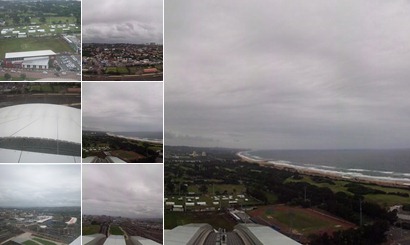
We also took a ride up to the top of the stadium in the SkyCar for a breathtaking 360Âş view of Durban from the SkyPlatform. From up there all the city landmarks are visible by day. I can just imagine what an awesome sight it would have been if it hadn’t been a cloudy day.

From the stadium we headed off to Durban for a visit to Mini Town.

I was pleasantly surprised at how clean, tidy and well maintained this attraction was for an establishment that was over 30 years old. It gives a good impression of some of Durban’s most interesting buildings.

With this visit complete, we headed back to our holiday home for Clive to go rest his broken foot.

On Wednesday we took a drive to Maydon Warf for a visit to the Sugar Terminal. Once again we were fortunate to have a private tour.

The tour guide gave us a short overview the process of sugar production as well as the purpose and functions of  SASA (South African Sugar Association). Then we saw a short video presentation where after the guide took us for a tour and overview of all the different aspects of the facilities.

Unfortunately we weren’t allowed to take any photos inside the facility. 

From the Sugar Terminal we headed off to the Durban City hall that houses the Durban Natural Science Museum.

Although not as big and impressive as some of the other places we’ve visited, this museum houses a wide variety of stuffed insects, birds, fish and reptiles that echo evidence of their earthly existence. There are also various diorama exhibitions and plasma screens showing natural history scenery. Standing under a life size reconstruction of a Tyrannosaurus Rex, can make one feel very tiny.

After the museum visit it was once again time to head back to our holiday home, but this time to pack and get ready for the long road back to Johannesburg.

On Thursday morning we were up bright and early to head home.

However, we had just one more stop to make as we came trough Pietermaritzburg. We stopped at the Kwa-Zulu Natal Museum just before 9am.

Of all the museums we’ve visited thus far I found this one by far the most impressive.

After 2 hours browsing the museum hit the road for another 6 hours drive home. We arrived home around 4h30pm and with that reached the end of our holiday.

This afternoon the boys were back at Junior engineering and the last 3 weeks  of our schoolyear are in sight.

Saturday, November 3, 2012

Happy Holiday

This has been quite an eventful week for us with loads of fun & learning activities. We decided to take a holiday away from home for 10 days to celebrate our 20th wedding anniversary. We left Gauteng on Monday morning for our trip to Salt Lake, Ballito in Kwazulu Natal. We arrived at our destination around 3pm and settled in for some chillaxing time.

On Tuesday late morning, we headed off to the beach for a nice long stroll although it was miserable & cool. The boys enjoyed running around writing in the sand. After 2 hours on the beach we south out the nearest shopping centre for some groceries to get us through the week.

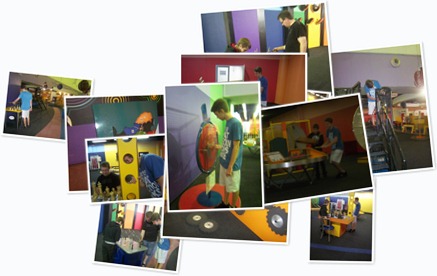
On Wednesday we headed off to Gateway Shopping Kingdom to visit the KZN Science Centre. The boys found it a bit disappointing because all the exhibits were familiar and many were still under construction. However, they did still manage to entertain themselves for an hour, after which we took a walk through the centre. We had lunch at the spur before heading to the movies to watch Hotel Transilvania. After the movies we stopped at the Wimpy for some pudding & then headed back home.

With the weather still miserable, we went to the Natal Sharks Board on Thursday where we got to see an informative 30 minute movie about sharks & thereafter we saw a hammer shark being dissected. 2012_1104_111116

Misha has a newfound interest in reading with the new “The Wonders of the Sea World 3D” book which he’s been reading in between activities. I’m happy to see that his interest in reading is growing steadily.

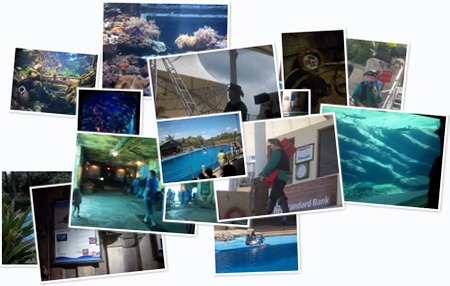
Yesterday we were happy to have some sunshine and headed off to uShaka Marine World for some serious fun in the sun mixed with a hint of learning. We arrived at 11h20, just in time for the Dolphin show. Then we had some lunch at the Spur where after we went to see the seal show. It’s amazing how fast time flies when roaming around exhibits. By the time we were through the exhibits in the Phantom Ship it was after 3pm, leaving us with 2 more hours to check out the Wet ‘n Wild. Since it hadn’t been all that hot all day, the water in the rides were quite cold, but we had fun nevertheless.

Today we slept late, lazed around and then went for another stroll along the beach. Tomorrow we continue to chillax and Next week we have some more fun & learning scheduled before heading home on Thursday morning.